Retirement doesn’t mean hanging up your hat
For many older Aussies, retirement is a chance to start fresh, give back to the community or turn hobbies into income.
Scams are becoming more sophisticated by the day, making it harder to tell what’s real and what’s a trap. Even the savviest among us can fall victim if we're not staying alert.
As more of our everyday tasks move online, from shopping and banking to chatting with family, the digital world offers incredible convenience. Many older Australians are embracing this shift, using technology to stay connected and independent. That’s why it’s more important than ever to stay informed because when it comes to online safety, a little knowledge truly goes a long way.
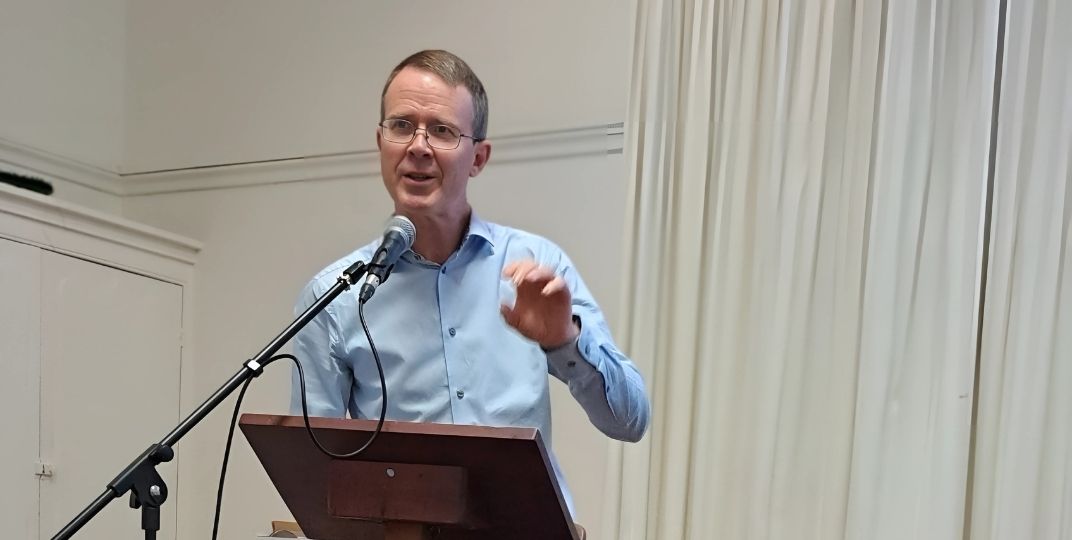
Cam from Technology Connections was inspired by his own experience teaching his 96-year-old Pop to use an iPad which led his grandfather to play online card games with family, catching up on news about his favourite football team and listening to music from his youth. Cam realised the power of technology to connect generations.
The situation: You’ve just ordered a new pair of shoes online or maybe your grandchild mentioned they sent you a little gift and then a text shows up on your phone. It says, 'Your package is delayed. Click here to track it' or 'We missed you! Your delivery couldn’t be completed. Click here to reschedule.' The message looks like it’s from Australia Post, StarTrack or DHL and since you’re actually expecting something, it seems legit.
Cam's advice: "This one’s especially tricky because many of us are waiting on a delivery which makes us lower our guard. Always look closely at the sender’s number. Most importantly, don’t click on any links, especially if they’re asking for payments or login details or asking you to click a link. Go directly to the delivery provider’s official website to check the status of your parcel. It’s the safest way to avoid being cheated."
The situation: You might receive an email warning that your cloud storage is full and if you don’t act fast, your photos, videos or files could be deleted. It urges you to update your payment details to avoid losing access. You don't want to lose those precious photos of your grandchildren and the great family holiday trips you had been to. That’s exactly what scammers want you to think. However, if you read closely you will notice that they rarely say which storage they’re talking about. Is it iCloud? Google Drive? Microsoft OneDrive? They leave it up to your imagination.
Cam’s advice: "Don’t panic and don’t click on anything. These emails are designed to scare you into handing over your credit card details. Instead, check the sender’s email address. A fake email address would always have a lot of numbers and letters in random order. The safest move would be to go directly to your cloud storage provider’s website (by typing it into your browser) and log in there. That way, you can confirm if there’s an actual issue without risking your personal information."
The situation: You get a phone call from someone claiming to be from your bank’s security team. They say there’s been suspicious activity on your account or a scam that has already taken place and they offer to help recover the money. At the first instance it may sound helpful. They’ll often ask you to install software on your phone or computer so they can assist. But once installed, these programs can give complete control of your device to someone else. If scammers get in, they can quickly transfer large sums of money, often before you even realise what’s happened.
Cam’s advice: "Anything to do with finances can naturally make you feel anxious especially if it comes through as a phone call. If something feels off or you're unsure whether it's genuine, the best thing you can do is to hang up straight away. Don’t click anything, don’t install anything. Call your bank directly using the number on their official website. 99.9% of the time, your bank didn’t call you. It’s also important to know that trusted companies like your bank, PayPal, Amazon or your energy provider will never ask for remote access to your computer or phone. While it might seem harmless to let a family member have remote access, it can leave the door open for someone else to misuse that connection. When it comes to protecting your devices and your money, it’s always better to be cautious."
The situation: Scam emails and phone calls can come up anytime but there’s always a big spike around tax time. You might get an email that looks like it’s from Centrelink, the ATO or MyGov, telling you that you owe tax, need to update your details or are eligible for a refund. It usually comes with a link they want you to click. It’s easy to think it’s legit, especially if you’re distracted or busy. You may also get a phone call, catching you off guard and asking questions that might seem harmless. But if you’re preoccupied, out shopping, waiting in line or even cooking dinner, you might answer without really thinking and give away important personal info.
Cam’s advice: “Legitimate government departments won’t send clickable links in emails. If you’re unsure, don’t click. Check the email address, particularly what comes after the @ symbol. If it exactly matches the official website of the business (like @servicesaustralia.gov.au), it’s more likely to be legitimate. But remember scammers are becoming smarter so they may create addresses that look convincing but have slight changes or odd characters. Email addresses from free services like gmail or hotmail or ones with lots of random numbers and letters are red flags that you need to look out for. Instead, go to the official site separately and log in from there. If your email provider allows it, report these messages as phishing and delete them."
The situation: Imagine checking your inbox and seeing an email from your daughter, son, niece or a close friend. The message says something like: 'I’ve lost my voice and can’t talk right now, but could you please help me organise a birthday gift? I just need you to grab an iTunes or gift card and send me the code.' It seems genuine. The name is familiar. And your first instinct, like most people is to help. But this is where it gets tricky. Scammers can fake email addresses or hack into accounts. The message may look like it’s from someone you know but it’s not.
Cam’s advice: "Don’t respond, don’t buy anything and don’t engage via email. Call or text the person using a number you already have. It’s the quickest way to confirm if the request is real. Remember no one you know would ask for gift card codes over email if they really needed help. Always double-check. It’s not being rude, it’s being smart."
Scams rely on fear, urgency and familiarity but by pausing, questioning and verifying every email, message or phone call before acting, you’ll stay one step ahead and safer in the digital world.
For more information about the lifestyle and support offered at our retirement villages, call our customer service team on 1800 550 550 or send us an email here.
If you think your family or friends might enjoy this article, please share it with them.